
Every web page has an address associated with it this address is known as

Every web page has an address associated with it, and this address is known as a Uniform Resource Locator (URL). A URL is the global address used to access resources on the internet, which can range from text pages to images, videos, and even software programs. The structure of a URL enables both the identification and retrieval of content hosted on the web. Let’s explore what URLs are, how they work, and why they are important in detail.
Understanding a URL
A URL is essentially a reference to a specific location on the internet. It allows users to navigate the vast network of information that makes up the World Wide Web (WWW). It is through URLs that users can reach specific web pages or resources, such as documents, media, or files hosted on servers around the world.
A URL typically consists of several components that work together to form a complete address. Here is a breakdown of the typical structure of a URL:
bashKodu kopyalaprotocol://domain:port/path?query#fragment
Components of a URL
- Protocol: The protocol is the part of the URL that specifies how the data is transferred over the internet. Common protocols include:
- HTTP (HyperText Transfer Protocol): The standard protocol used for most web pages.
- HTTPS (HyperText Transfer Protocol Secure): An encrypted version of HTTP, used for secure communication.
- FTP (File Transfer Protocol): A protocol used for transferring files between computers.
- Mailto: Used for email addresses (e.g., mailto:someone@example.com).
- Domain: The domain is the human-readable address that identifies a specific website or server. For example, in the URL
https://www.example.com,example.comis the domain. Domains are translated into IP addresses through a system called the Domain Name System (DNS), which ensures that the request for a website reaches the correct server. - Port (Optional): A port number is a part of the URL that specifies which communication channel should be used to access the web service. While most web traffic uses port 80 (HTTP) or port 443 (HTTPS), some websites may use other ports, such as port 8080 for development purposes. Most URLs omit this component because web browsers assume the default ports.
- Path: The path refers to the specific location of the resource on the web server. It follows the domain and usually points to a specific file or folder. For example, in the URL
https://www.example.com/images/photo.jpg,/images/photo.jpgis the path that leads to the filephoto.jpglocated in theimagesfolder on the server. - Query (Optional): The query string, which begins with a
?symbol, is used to send additional parameters to the server. These parameters are often used to filter or refine the content being requested. For example, in the URLhttps://www.example.com/search?query=dogs, the query string?query=dogsmight be used to search for content related to “dogs”. - Fragment (Optional): The fragment identifier, starting with a
#, points to a specific section within the resource. It is often used to link to a particular part of a web page. For example,https://www.example.com/page#section2would take the user directly to thesection2part of thepageon the website.
Types of URLs
URLs can be broadly classified into several types based on their usage:
- Absolute URL: An absolute URL contains all the necessary components to fully access a resource, including the protocol, domain, path, and potentially a query or fragment. For instance,
https://www.example.com/aboutis an absolute URL because it provides all the details needed to locate and retrieve theaboutpage. - Relative URL: A relative URL only includes the path and, if needed, query or fragment. It is relative to the current web page’s domain. For example,
aboutorabout.htmlmight be a relative URL if the current webpage ishttps://www.example.com. - File URL: A file URL points to a file on the local file system or a network drive. For example,
file:///C:/Users/Example/Documents/file.txtis a file URL that accesses a document stored on a computer. - Anchor URL: Anchor URLs are used to link to a specific part of a webpage. These URLs typically include a fragment identifier. For example,
https://www.example.com/page#section3might take the user directly to a section labeled “section3” within a page.
URL Encoding
When URLs contain special characters such as spaces, punctuation, or non-ASCII characters, they need to be encoded so that they can be safely transmitted over the internet. This process is called URL encoding or percent encoding. In URL encoding, spaces are replaced with %20, and special characters like & or = are replaced with their corresponding codes, such as %26 and %3D, respectively. This ensures that the URL is properly interpreted by web servers.
Role of URLs in the Web
URLs are the foundation of the modern internet, serving as the address system for all resources available online. They provide several important roles:
- Navigation: URLs allow users to navigate from one webpage to another. Every time you type a URL into your browser’s address bar or click on a link, you are essentially requesting to view a specific resource located at that address.
- Resource Identification: URLs uniquely identify resources on the web. Whether it’s a webpage, an image, a video, or a document, the URL tells the server what to retrieve.
- Search and Filtering: Many websites use query parameters in URLs to filter or sort results. For instance, an online store might use a URL like
https://www.example.com/products?category=electronics&sort=priceto display products in the electronics category, sorted by price. - SEO (Search Engine Optimization): Search engines use URLs to index web pages and determine their relevance in search results. Clean, descriptive URLs (e.g.,
https://www.example.com/how-to-bake-cake) are more likely to rank well in search engines because they provide both users and search engines with clear information about the content. - Security: The protocol part of the URL, especially when using HTTPS, ensures secure communication between the user’s browser and the web server. HTTPS encrypts the data transmitted, protecting sensitive information like login credentials, payment details, and personal data from being intercepted by malicious actors.
The URL is the essential addressing mechanism of the internet. By understanding how URLs are structured and their role in the World Wide Web, users and web developers alike can ensure proper navigation, communication, and organization of web content. From simple navigation to complex search and filtering mechanisms, URLs are integral to the functioning of the internet, and their importance continues to grow as the web evolves.

Benzer Konular

Doğal çevrenin korunması, toprakların verimli kalması, orman varlığının sürdürülmesi ve ekosistemin gelecek kuşaklara aktarılması amacıyla kurulan sivil yapılar, çevre bilincinin toplum geneline yayılmasında önemli bir rol üstlenir; bu tür vakıflar erozyonla mücadele, ağaçlandırma çalışmaları, doğal varlıkların korunması ve çevre eğitimi gibi alanlarda faaliyet göstererek hem bireysel farkındalık oluşturur hem de...

Ansızın gelen felaket ve sıkıntı veren şeye genellikle “musibet” denir. Musibet, beklenmedik bir şekilde ortaya çıkan ve insanlara zarar veren olaylar için kullanılan bir terimdir. Türkçede ve birçok kültürde musibet kavramı, doğal afetlerden bireysel trajedilere, toplumsal krizlerden manevi sıkıntılara kadar geniş bir anlam yelpazesine sahiptir. Musibet Kavramı ve Tanımı Musibet...

Bu cümle, insanlık tarihine kazınmış en unutulmaz sözlerden biridir. 20 Temmuz 1969 gecesi, Ay yüzeyine ayak basan ilk insan olan Neil Armstrong, milyonlarca insanın televizyon ekranlarından canlı olarak izlediği o tarihi anda şöyle dedi: “That’s one small step for a man, one giant leap for mankind.”Türkçesiyle: “Bir insan için küçük,...

Hangisi Batı astrolojisinde burçların ait oldukları element gruplarından biri değildir? A) HavaB) SuC) DemirD) Ateş Doğru cevap C) Demir. Batı astrolojisinde burçların ait oldukları dört element grubu şunlardır: Demir, astrolojide kullanılan bir element değildir. Bu nedenle, C seçeneği diğerlerinden farklıdır. Diğer seçenekler şunları temsil eder:
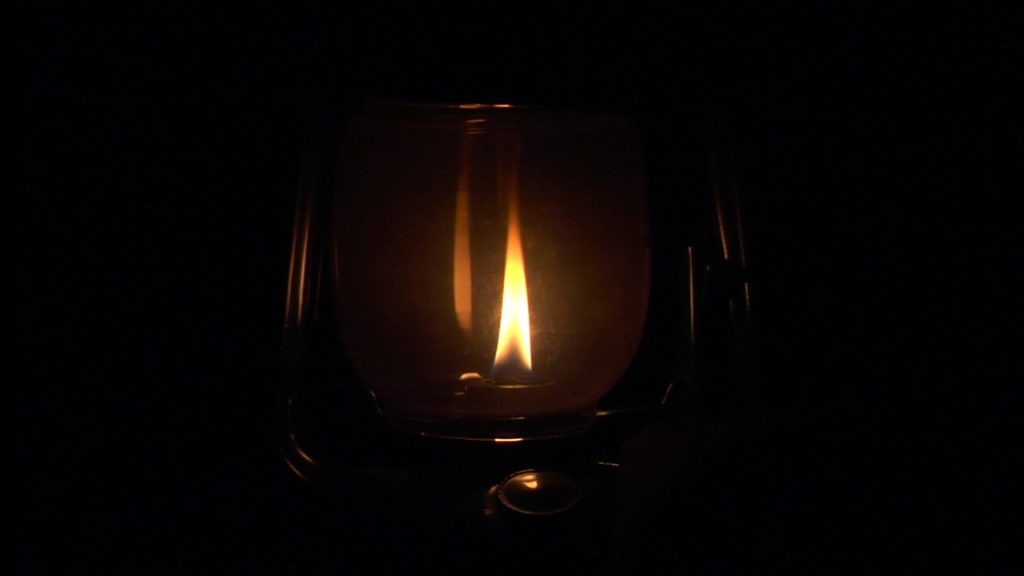
Kandil ışığı, geçmişte insanların hayatında önemli bir yere sahip olmuştur. Elektriğin olmadığı dönemlerde evlerin, camilerin, sokakların aydınlatılmasında kandiller kullanılmıştır. Kandil ışığı, sadece bir aydınlatma aracı değil, aynı zamanda sıcaklık, huzur ve manevi bir atmosferin de sembolüdür. Günümüzde elektrik sayesinde daha parlak ışıklar elde edilse de kandil ışığının yumuşak ve huzur...

Türkiye’de İkinci Kez Alkollü Araç Kullanma Cezası (2024): Para Cezası: 8.075 TL (İndirimli: 6.056,25 TL) Ehliyet: 2 yıl süreyle el konulur. Trafikten Men: Araç trafikten men edilir. Ceza Puanı: 20 puan Notlar: Unutmayın: Alkollü araç kullanmak hem kendi hayatınızı hem de başkalarının hayatını tehlikeye atar. Bu nedenle asla alkollüyken araç...
Bir Yorum Yazın
Ziyaretçi Yorumları - 0 Yorum